B2B
SkyBox: A platform for event ticket brokers
COMPANY
Vivid Seats
ROLE
UX Designer + Web Layout Dev.
YEAR
2017-2023
team
1 Technical Leader
1 Product Owner
3 Front-ends
2 Back-ends
1 QA
Me, designing

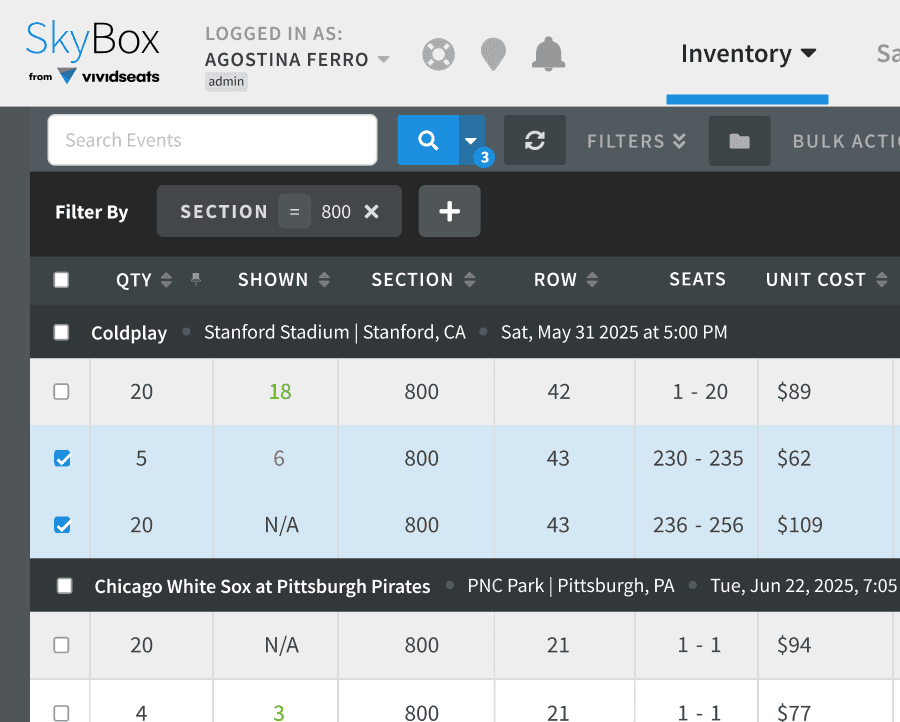
A ticket reselling platform made for brokers willing to sell their tickets for different events (sports, theater, or concerts) and earn a margin profit.
Tools include broadcast and price automation, managing inventory through bulk actions, invoicing, and reports.

Problem
SkyBox had grown reactively — 85% of the backlog was driven by user requests rather than validated needs. The result was a cluttered interface that was hard to navigate, especially on mobile, which accounted for nearly 25% of users.
The core tension: the product kept adding features without a system to support them.
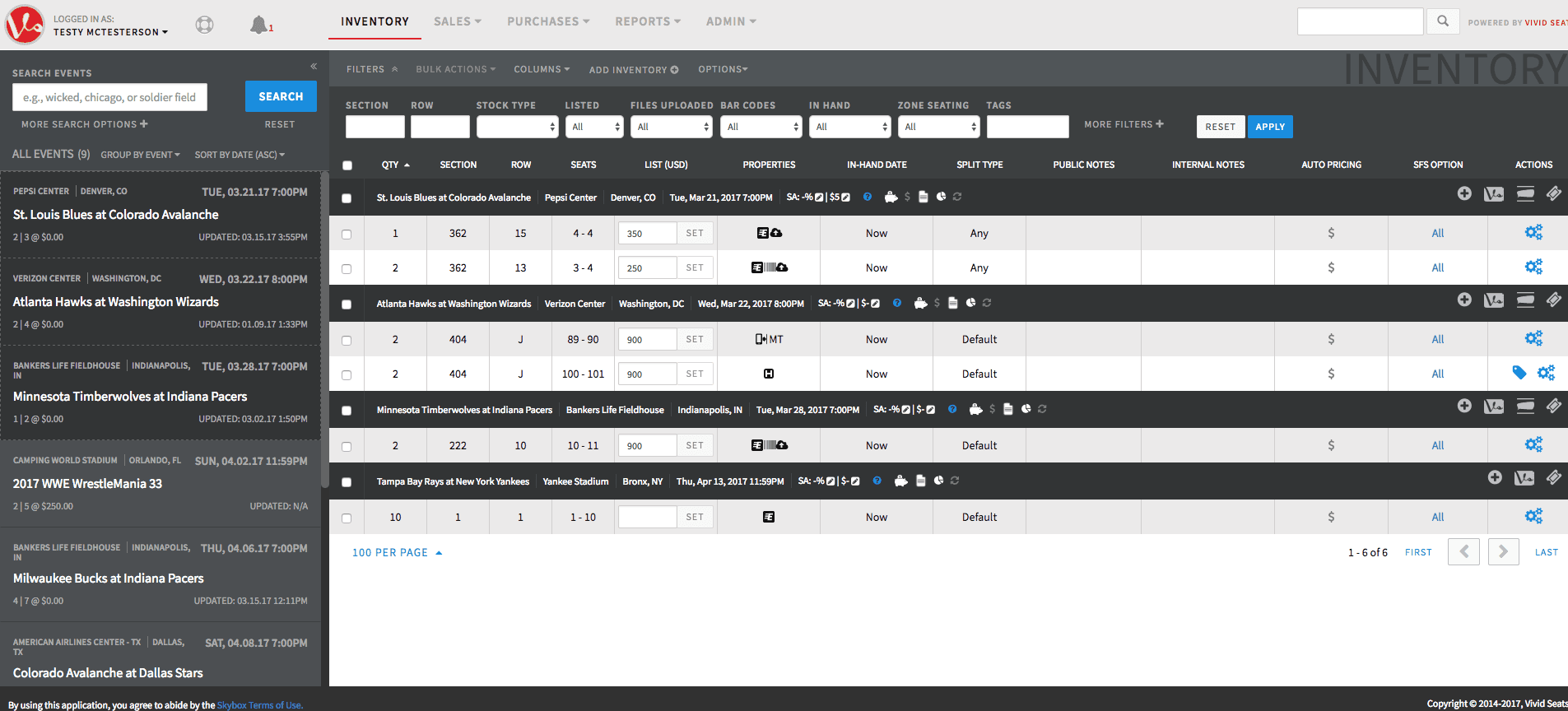
Inventory page, first design

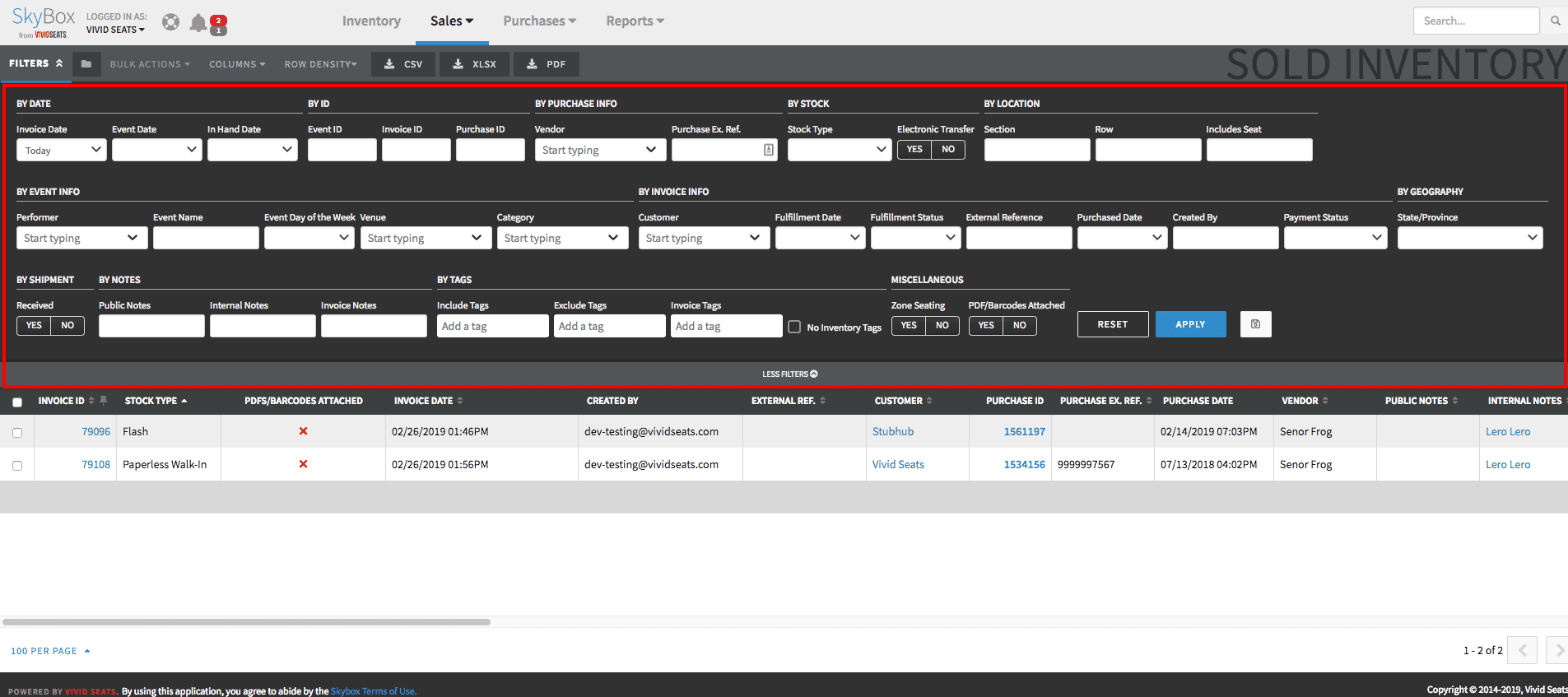
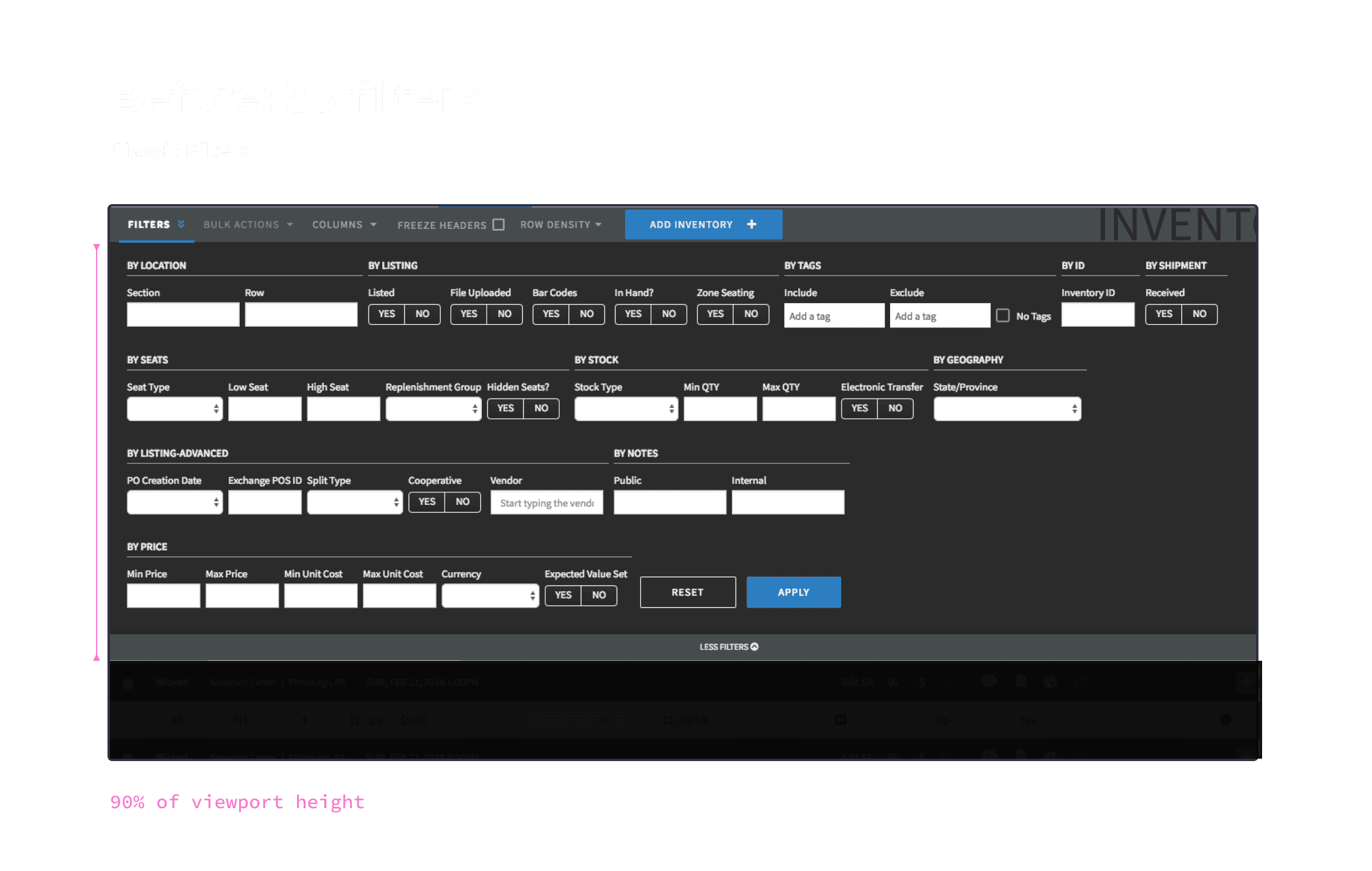
Filtering by tickets could look like this - and we were adding more and more fields
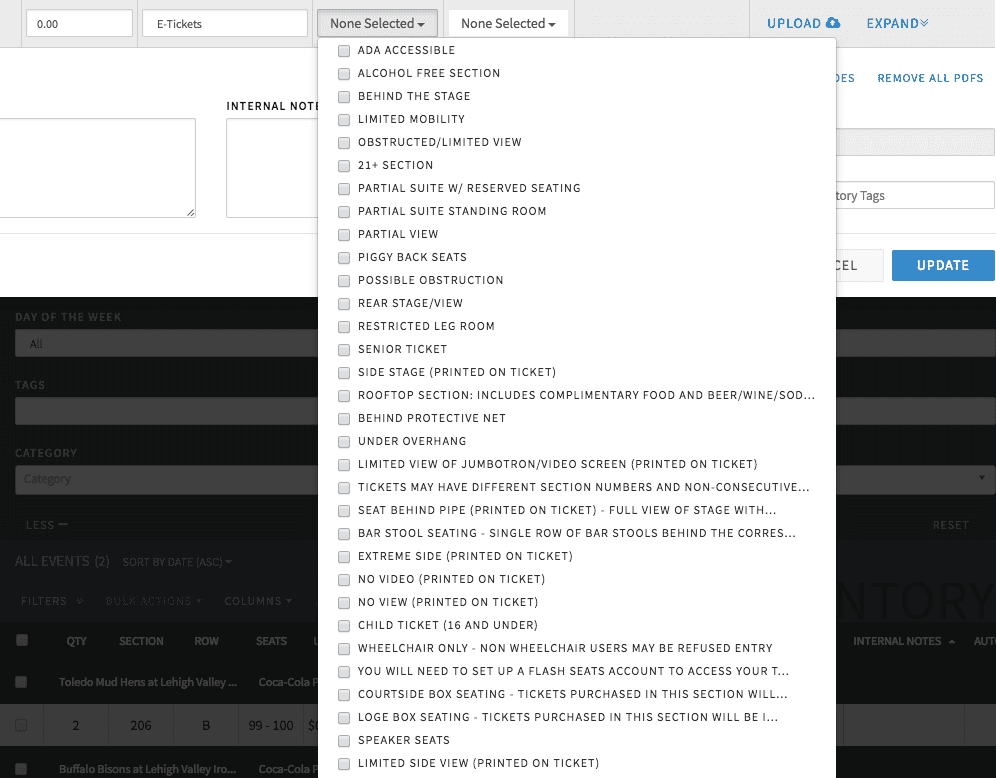
Disclosures of a seat on Edit Inventory
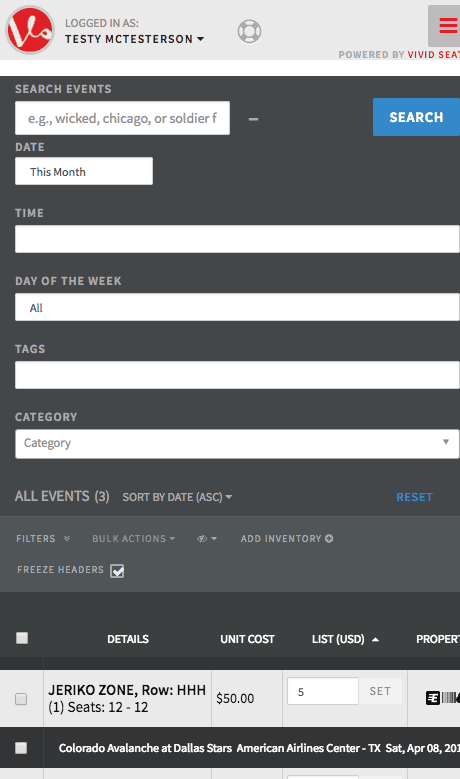
Mobile, Inventory page
I led the redesign in phased releases, running in parallel with new feature development. This let me validate changes with real users before scaling patterns across the platform's 15+ pages — avoiding a full rewrite that would have stalled the team.
Each phase addressed a specific pain point identified through usage data and user sessions.
Dynamic Filters
Redesign
Solution
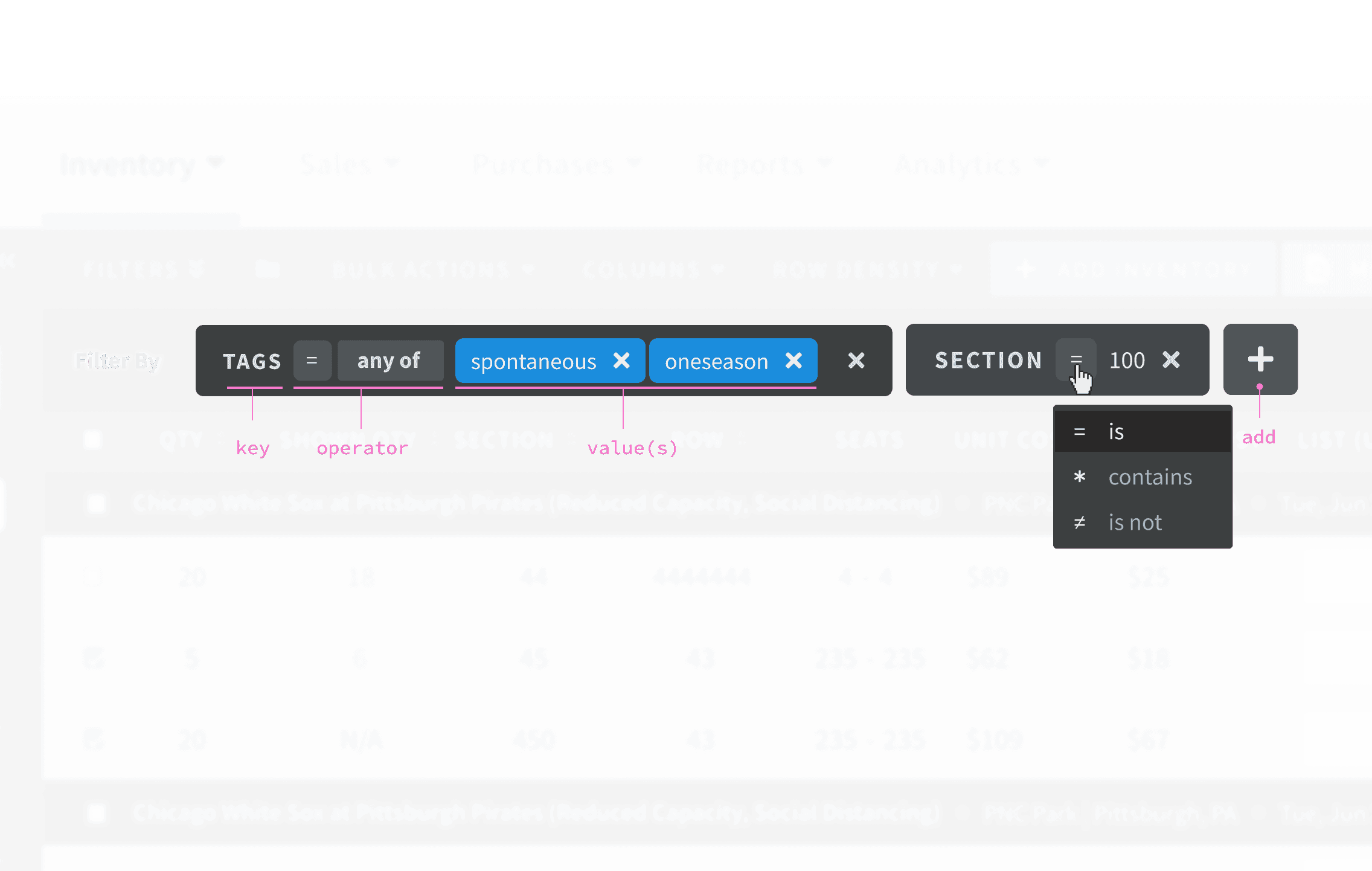
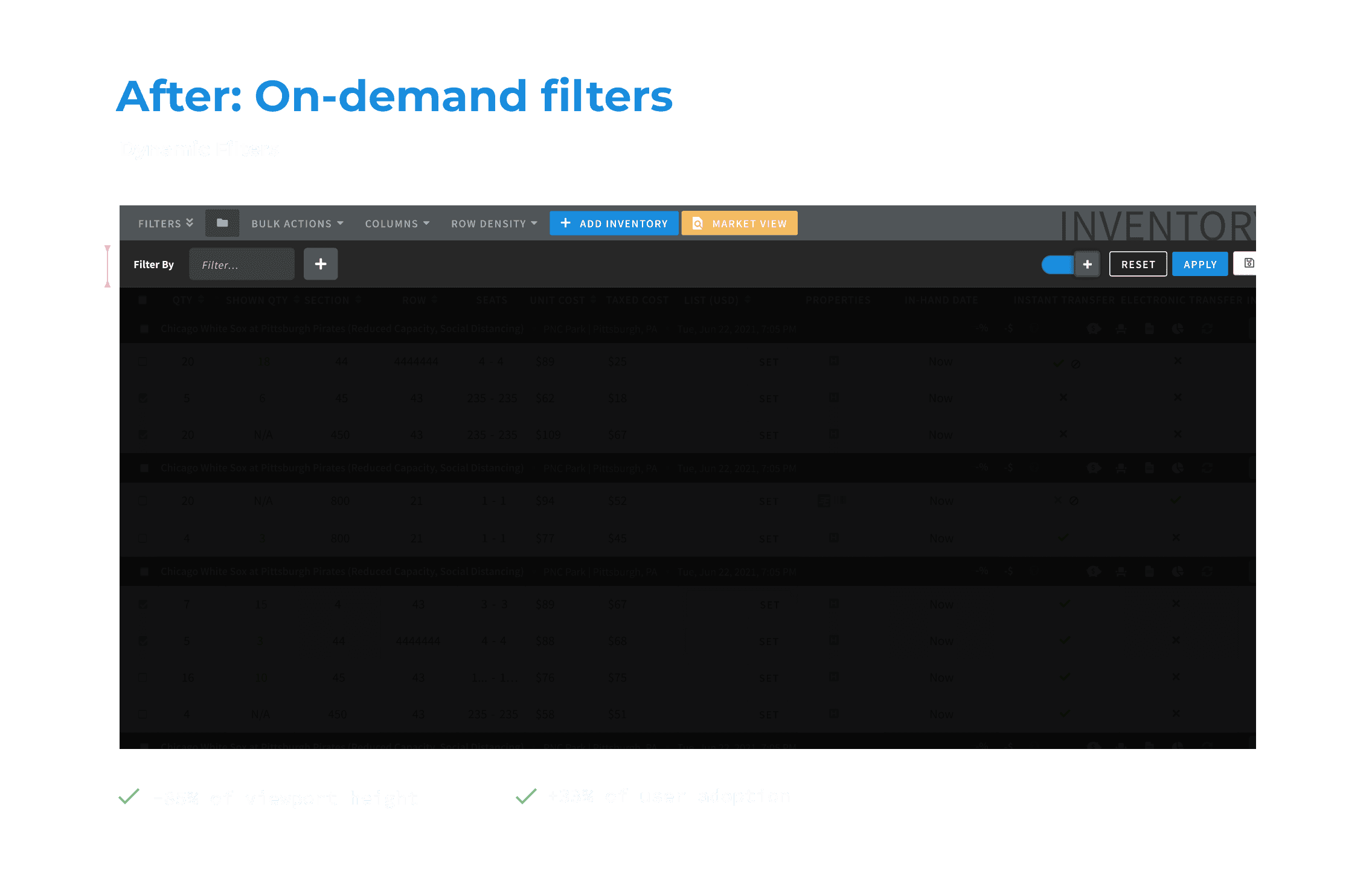
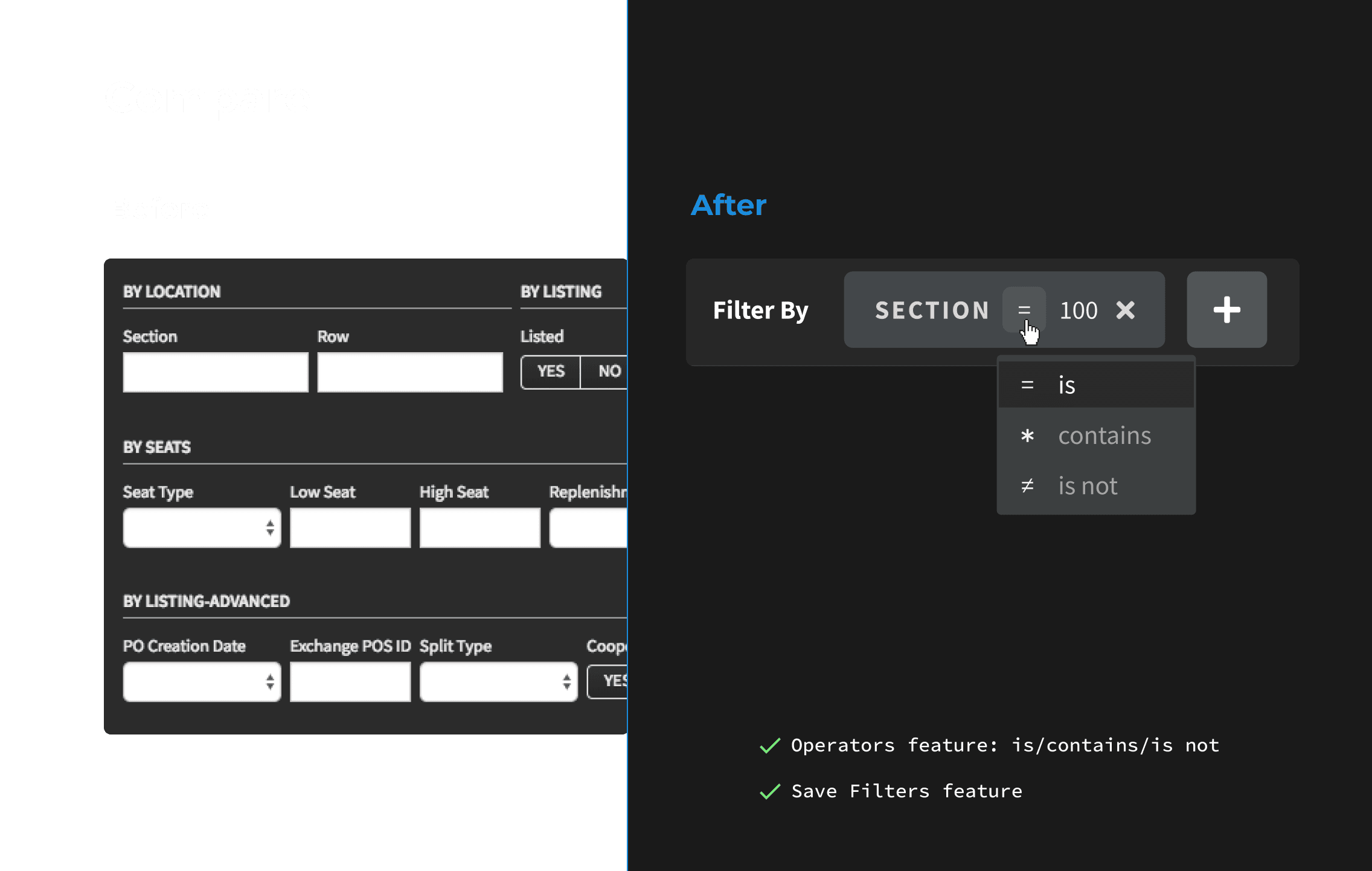
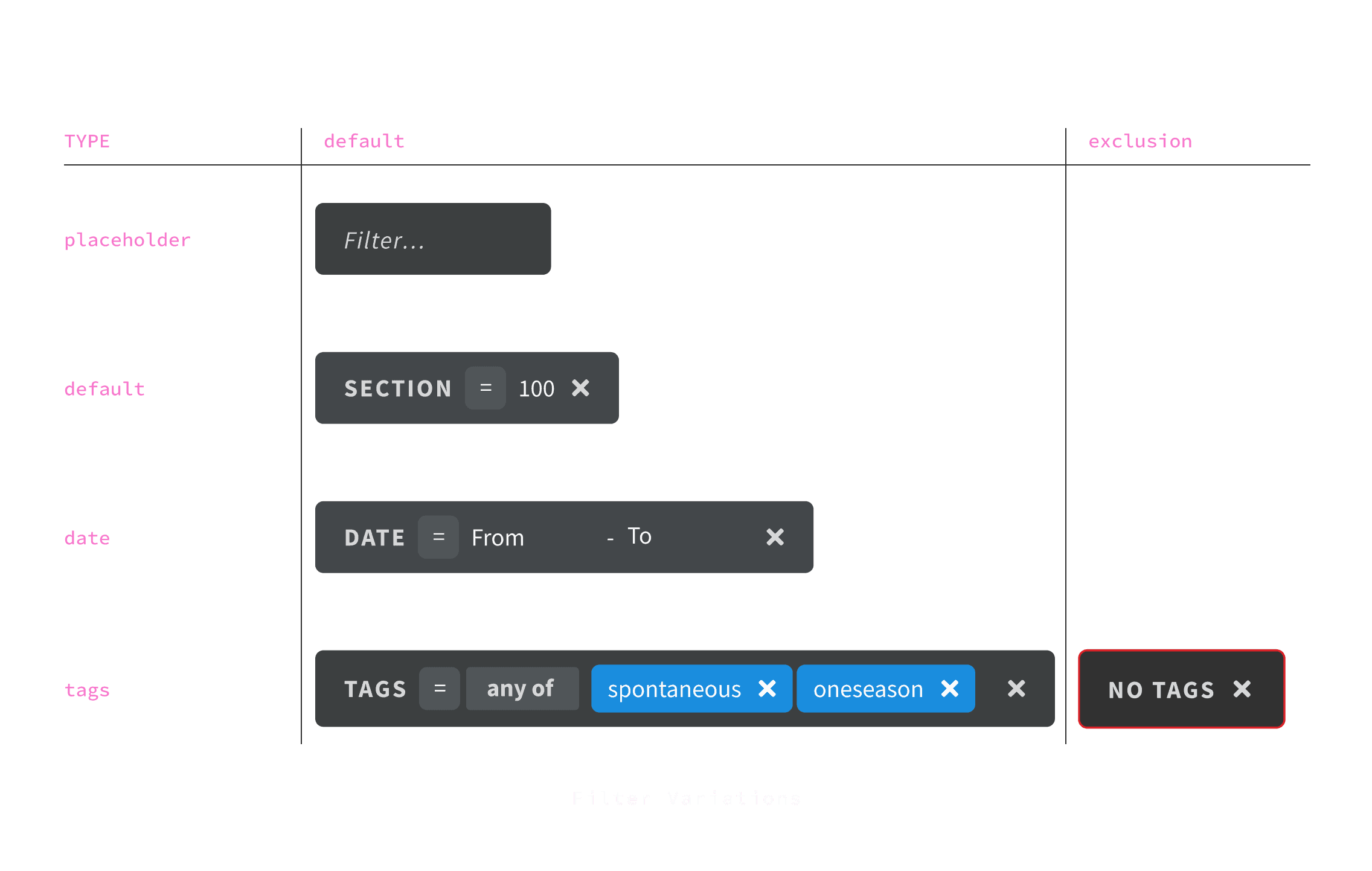
Redesigned the interaction around key-value pairs, letting users build their own filter sets tailored to their workflow. The challenge was keeping the pattern consistent across fifteen different pages without creating exceptions.
Impact
33% of users adopted the new filters after launch — and didn't go back to the classic panel.
Research Dashboard
New page
Brokers had no way to connect past sales performance to future decisions. The Sold Inventory page was one of the most visited in the product, but the data lived in isolation.

Solution
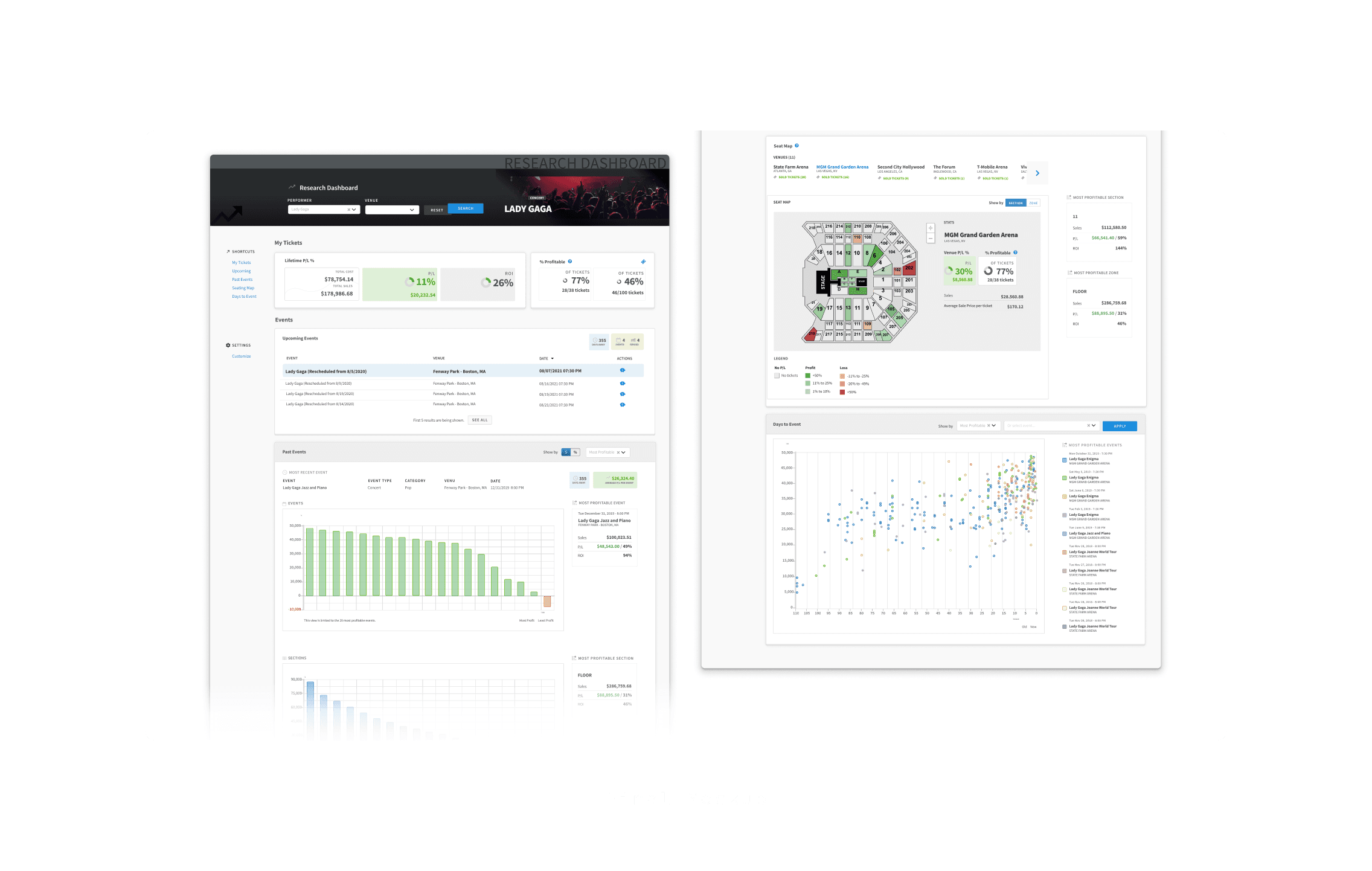
Used GA data as a design signal: anchored the dashboard around "Lifetime P/L" — derived from Sold Inventory — as the fixed entry point.
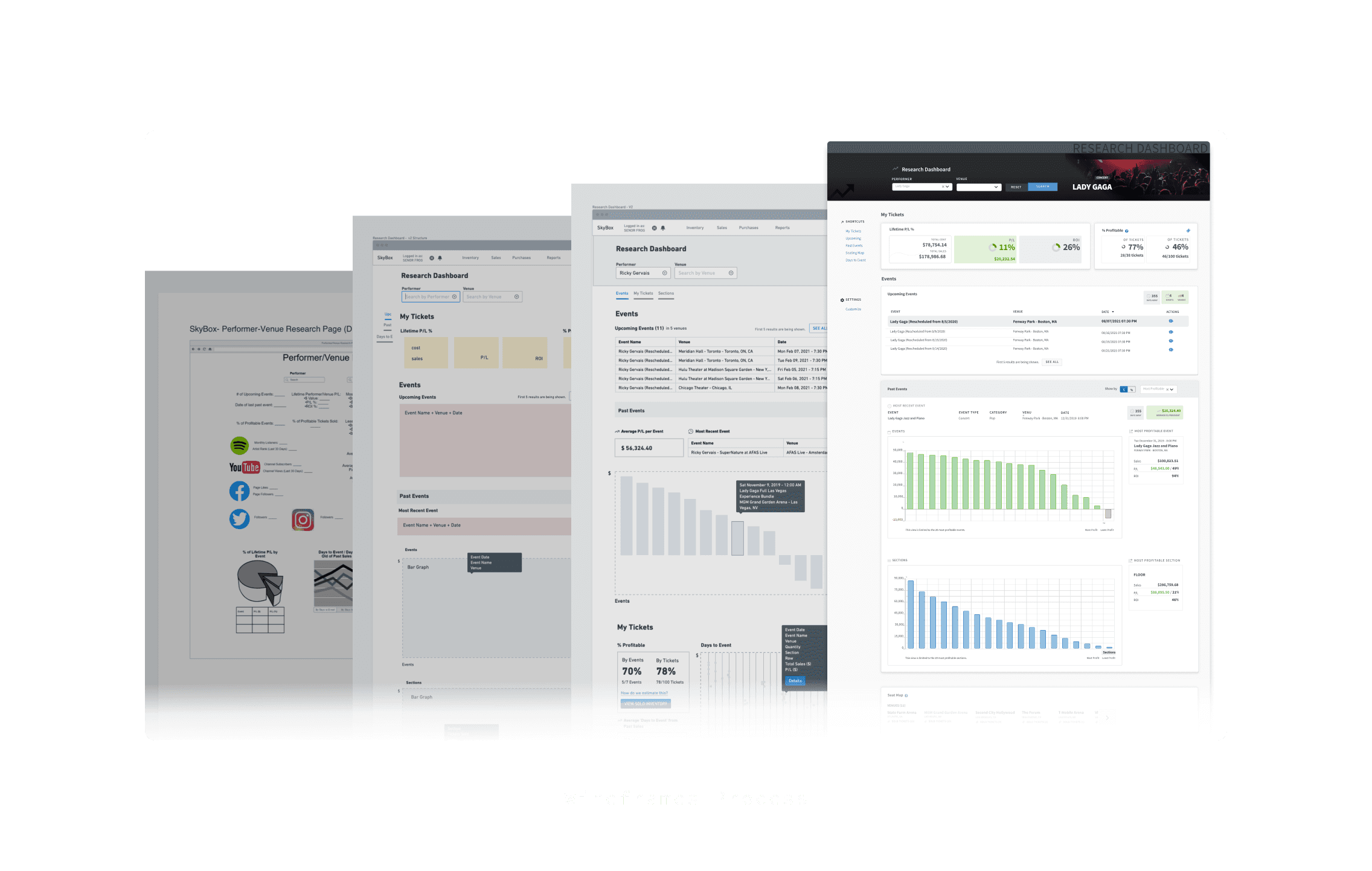
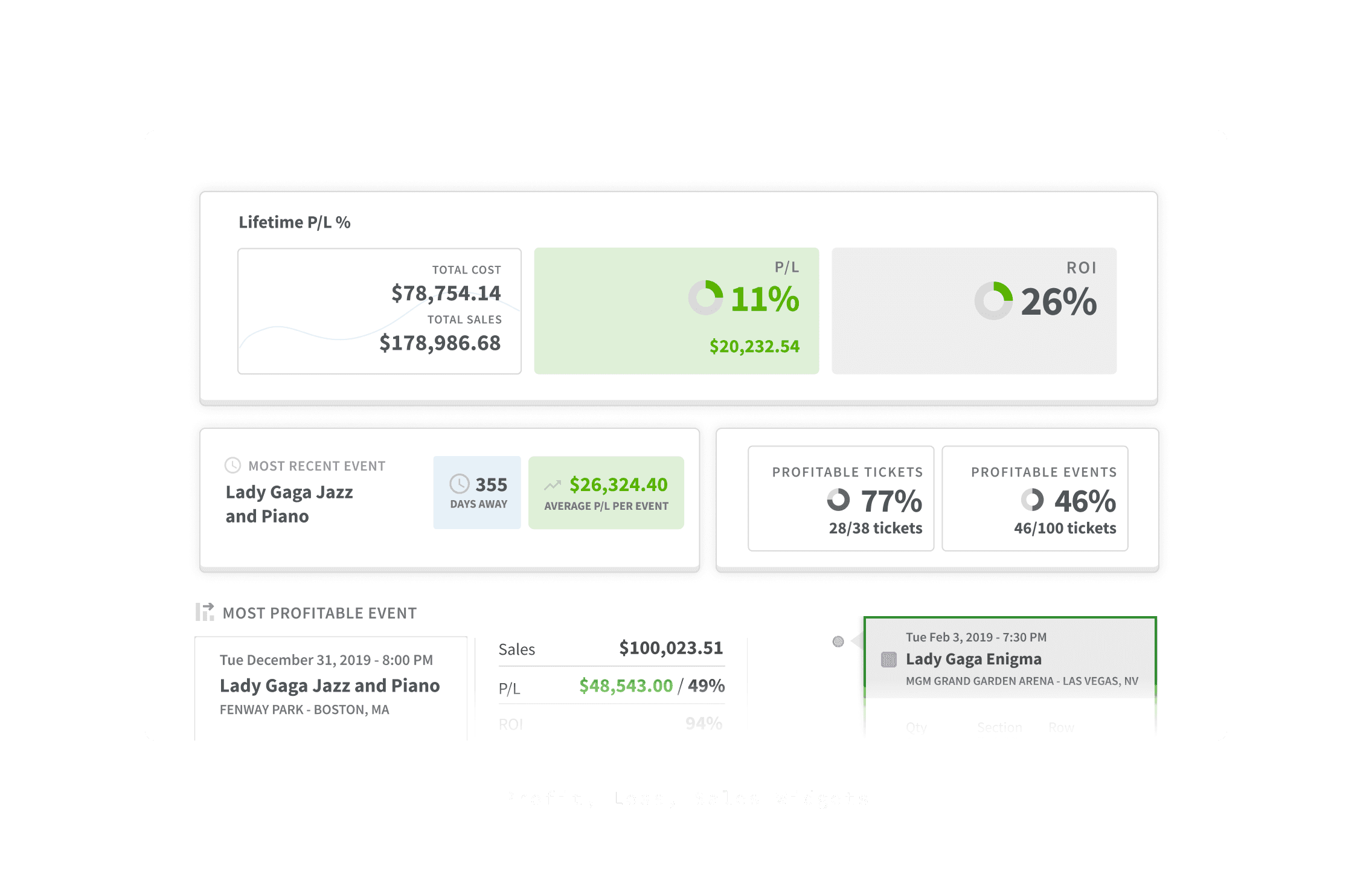
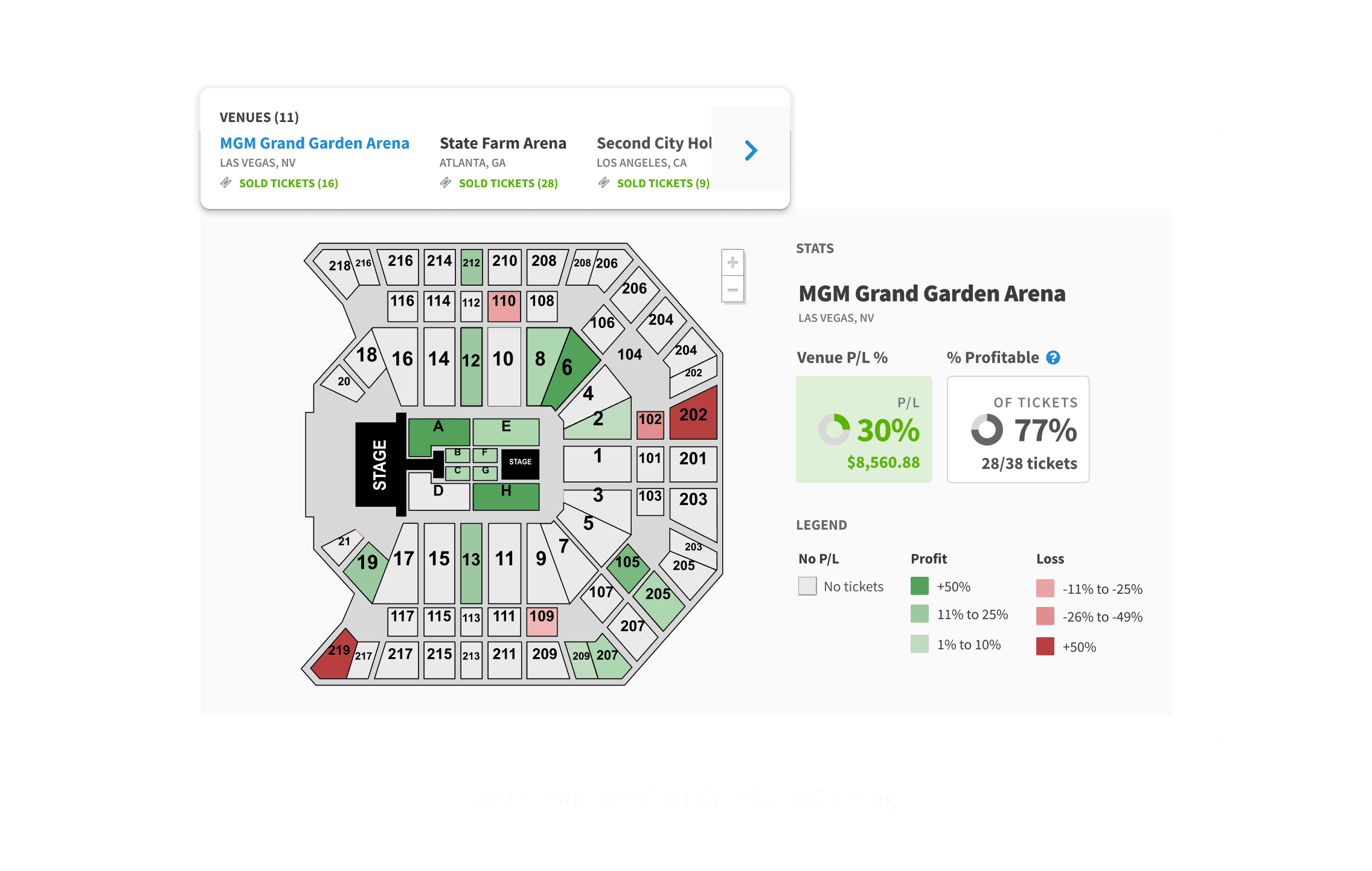
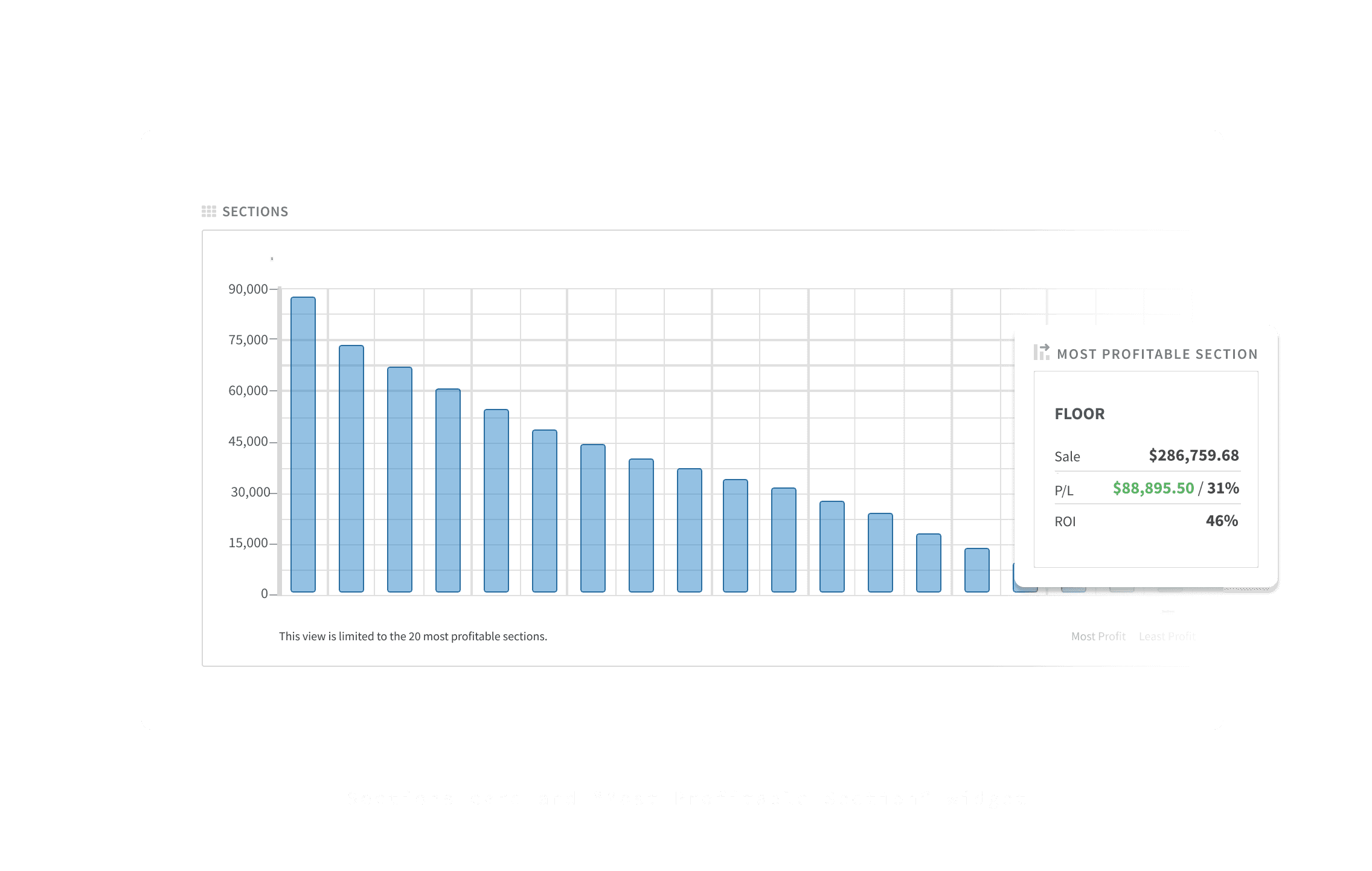
Process went from whiteboard sketches → Whimsical wireframes → Figma components, with the PM at each stage.
Impact
The most relevant data in the product became the first thing brokers saw, reducing the need to navigate across pages to piece together performance insights.
Ticker
New page
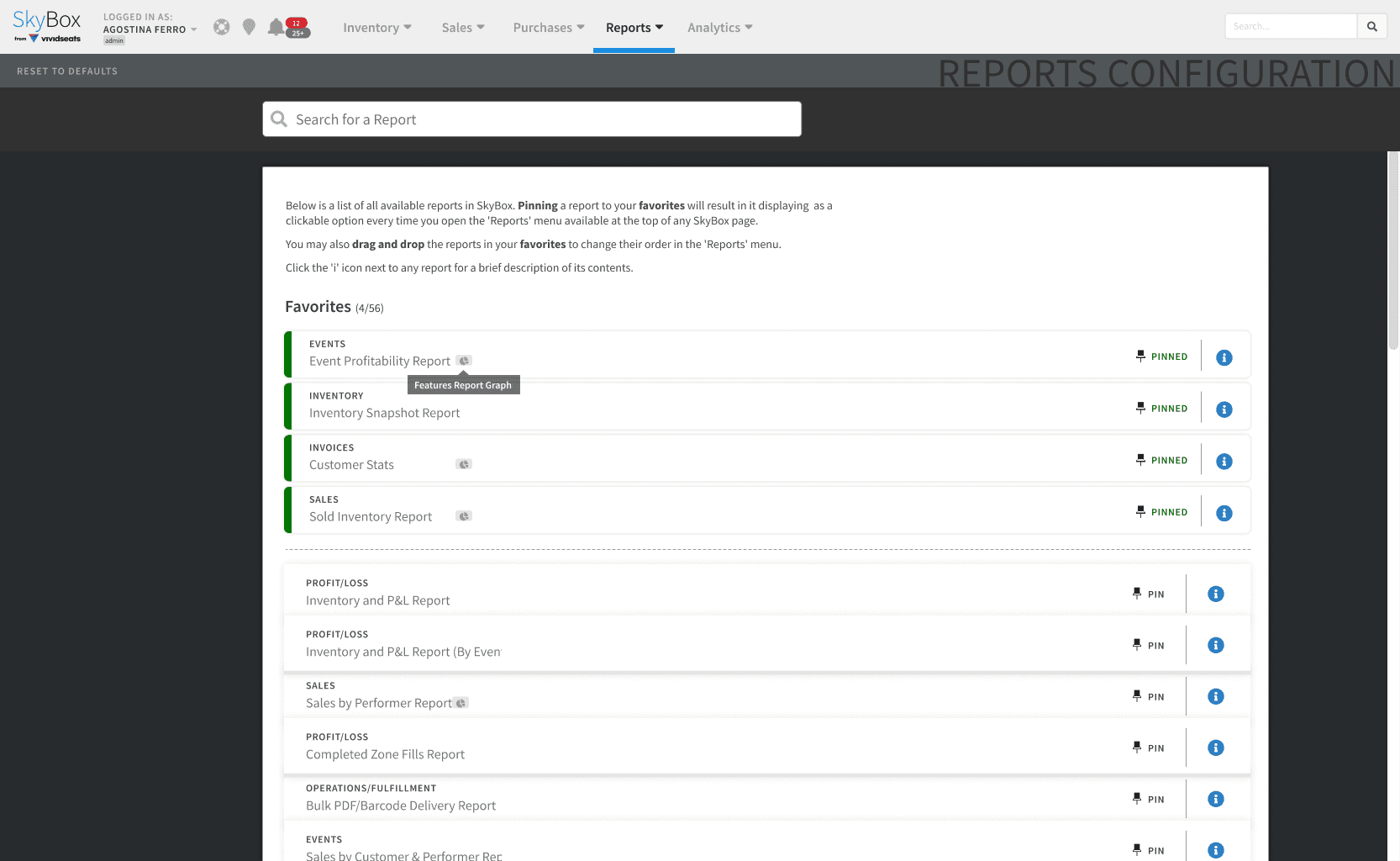
Brokers were navigating across 56+ report configurations just to get a snapshot of today's activity.
Solution
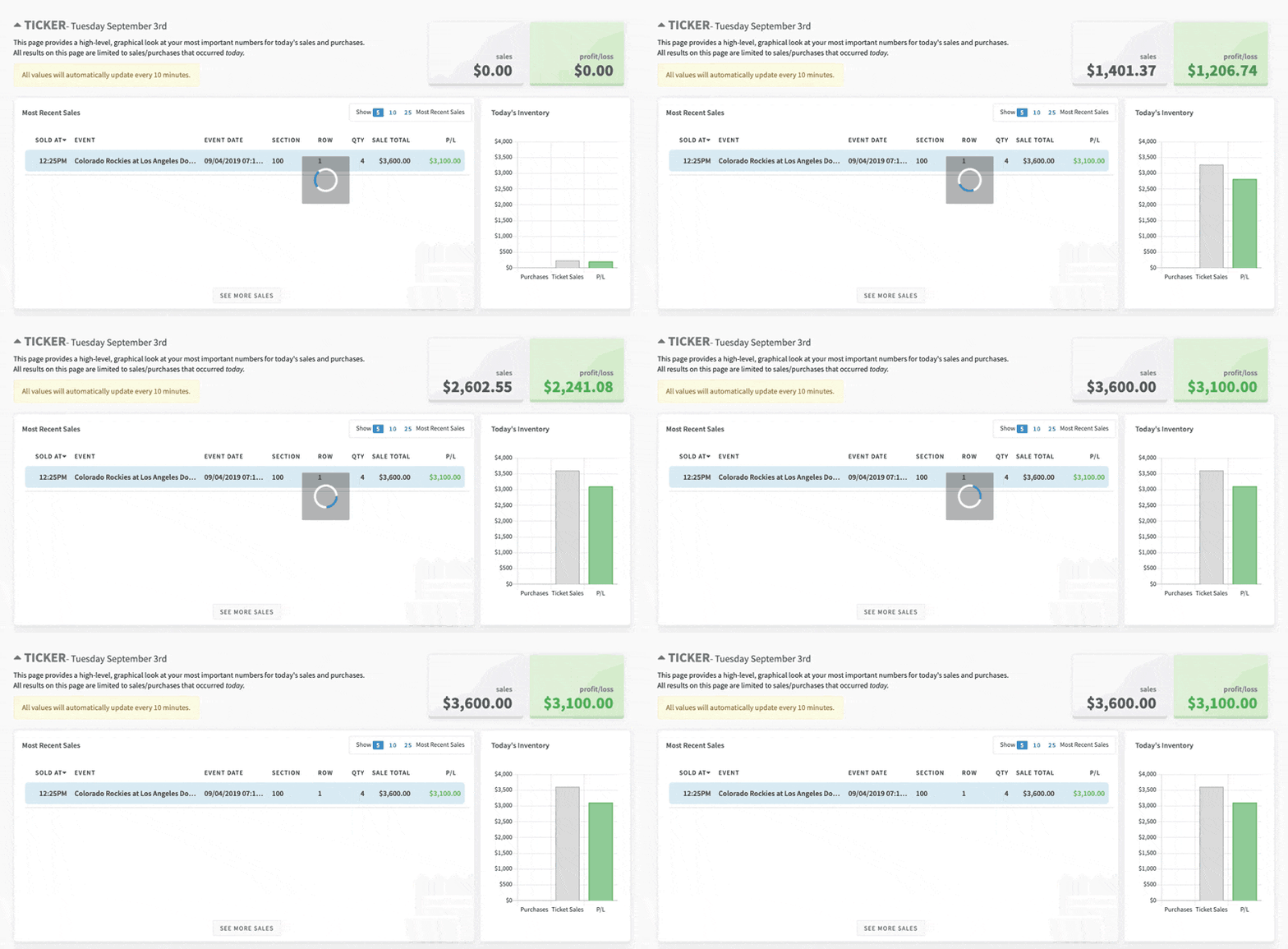
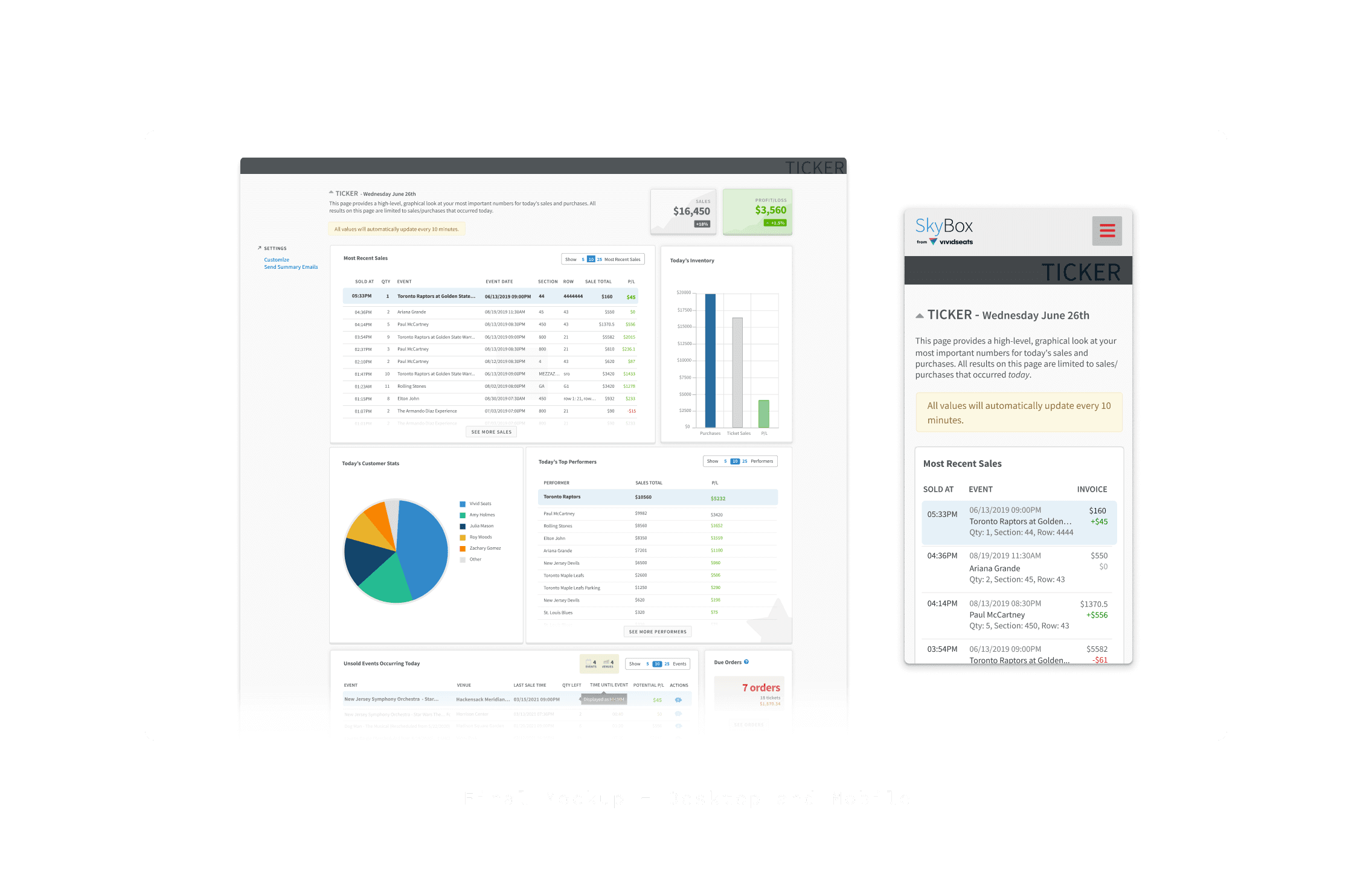
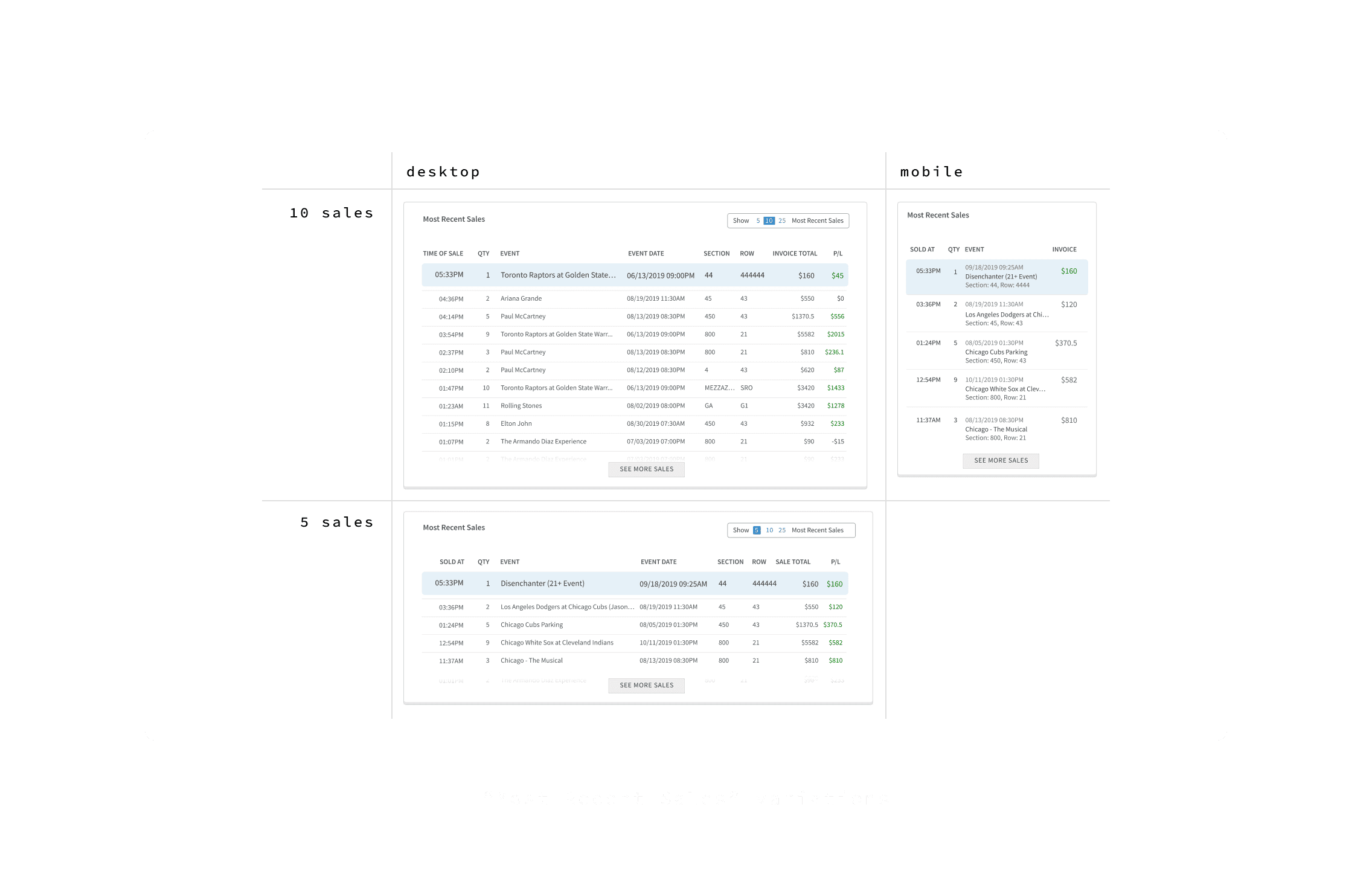
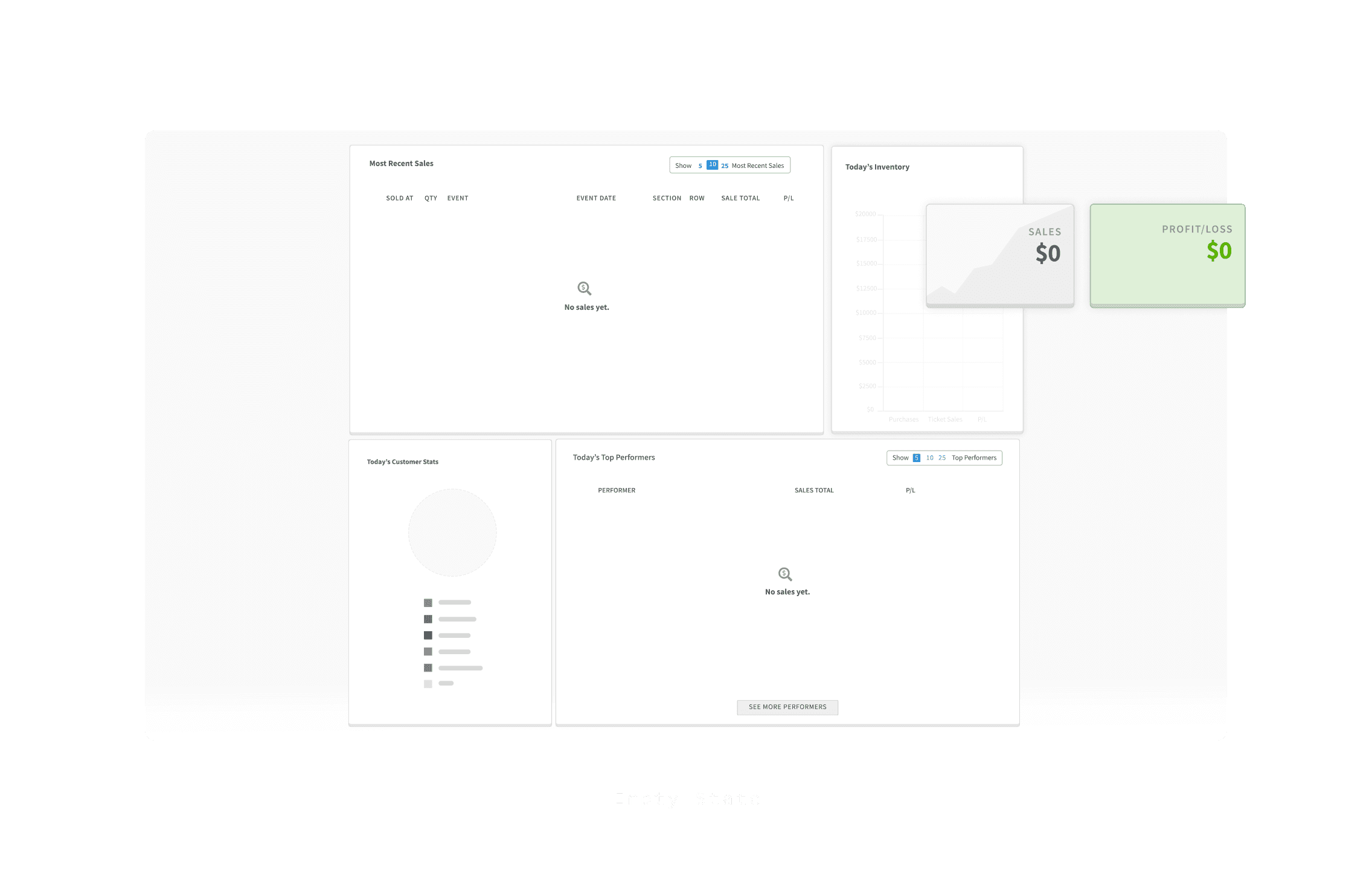
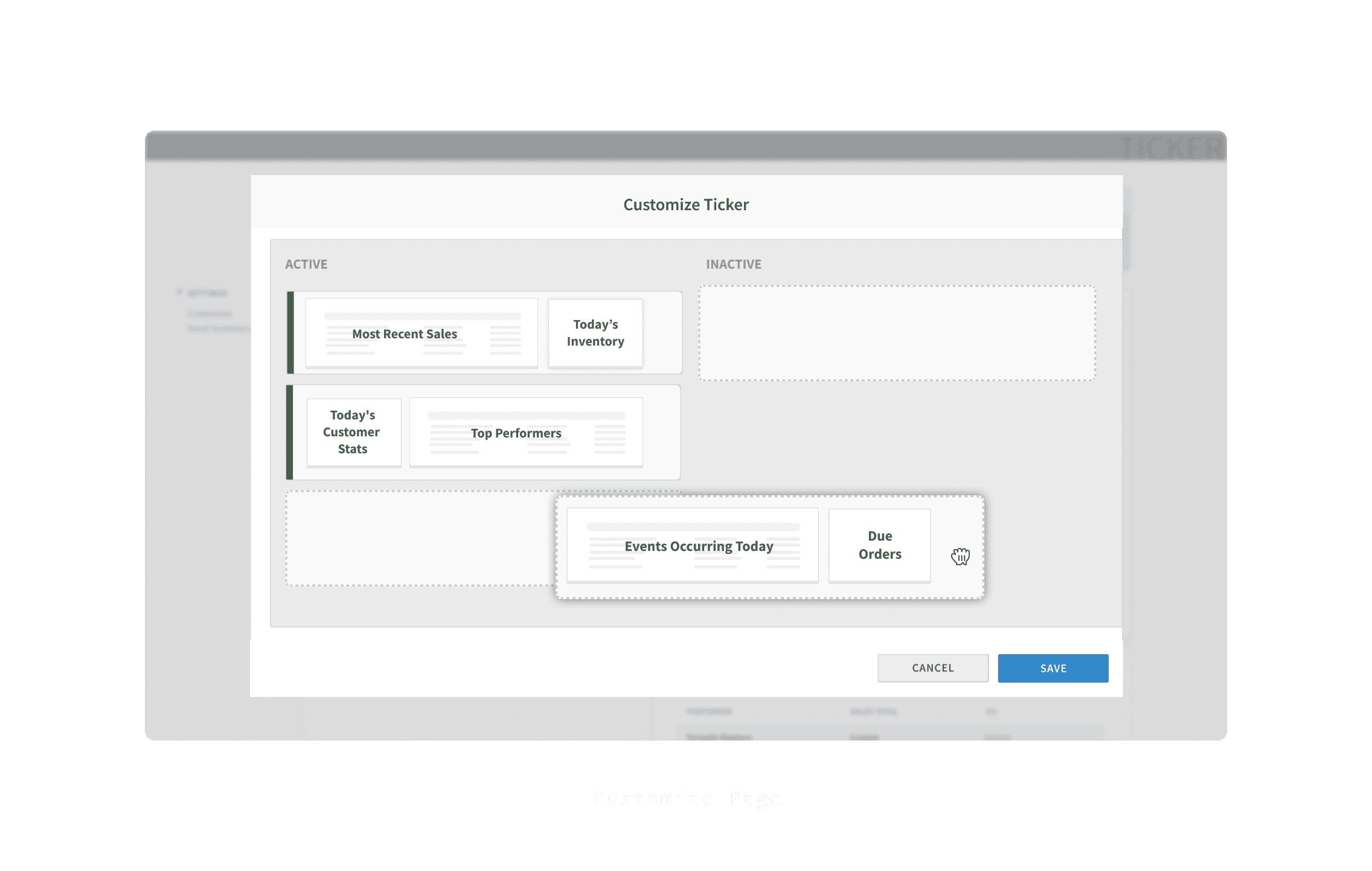
Designed SkyBox's first dashboard page, establishing widget structure and table layouts that became reusable patterns for future initiatives like the Research Dashboard.
Impact
Users bookmarked it. Most set it as their default landing page — an organic signal that it was solving the right problem.
Process
Research & Planning
I had a close collaboration with the Product Owner when breaking down his user stories, sometimes reframing the complete page/component structure and providing a completely different direction based on design principles.
Takeaways
Designing and implementing in parallel gave me something most designers don't get: full control over how the UI actually looked in production, not just in mockups.
Building my own layouts meant I understood the constraints firsthand — which made conversations with the front-end team more grounded. Instead of advocating for a design and hoping it survived handoff, I could negotiate from experience: knowing what was worth fighting for, what could be simplified without losing intent, and where the real implementation complexity lived.